CamScanner, the famous document scanner application, has been in the news for the wrong reasons since 2019. In September 2019, Google removed CamScanner from the Google Play Store for some time. In June 2020, the Indian government had banned 36 apps, including CamScanner citing security issues. If you don’t trust CamScanner anymore or you’re looking for an application to scan and save documents on your smartphones, you can use one of the following apps:
Best document scanner apps for Android and iOS devices
Microsoft Lens
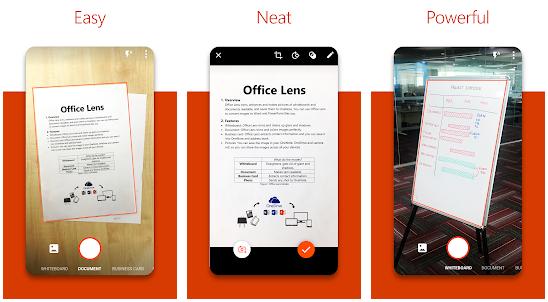
Built by Microsoft Corporation, Office Lens is a free application that enables you to scan PDF documents or anything that has text printed on its surface. The app also supports photos. It comes with a custom-built camera interface that enables you to change output/image resolution, turn on the phone’s flash, etc. Lens lets users insert text on the scanned document and rotate the image. Once you rotate the picture, Lens will automatically fit the image on the screen.
Microsoft Office Lens enables you to adjust the photo’s left, right, bottom, and top border. It has a doodle drawer utility. Once you’re satisfied with the quality of the picture, tap the “Done” button. Microsoft Lens will open a new interface where you’ll find options to change the file name, save the photo to Microsoft OneNote or Gallery, or make the application read out the text printed on the document. To use the “Narrator” feature, you must log in to your Microsoft account with the application. Lens from Microsoft is one of the best CamScanner alternative document scanner apps.
Adobe Scan
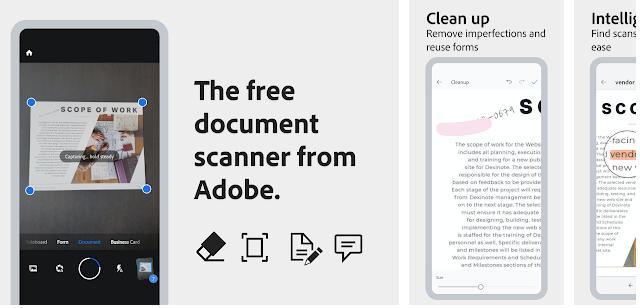
Microsoft Lens is an app like CamScanner that doesn’t force users to sign in. You should log in with your FB, Adobe, or Google account to use Adobe Scan. As Adobe Scan has a powerful OCR tool built in and produces high-quality images from scanned documents, it is one of the best document scanner apps.
AS also lets you search for documents by text. Why is this feature important? Imagine you’ve scanned several documents with an application that doesn’t support OCR. To find a specific page/document, you must go through each scanned file. Adobe Scan lets you search for text within a document. Once it finds a match, the application will display the file. Thereby saving your time. In addition to OCR, Adobe Scan also ships with filters.
Smart Doc Scanner
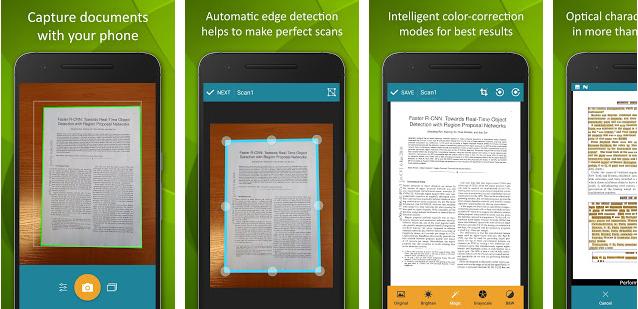
Smart Doc Scanner is another app like CamScanner that doesn’t require account registration and has an optical character recognizer utility. SDS can recognize text printed in 40 different languages. The application downloads a language file from its servers and analyzes the scanned document to find recognizable characters. Once it finishes processing the image, SDS will display the text it has extracted from the image/document in a new interface.
Smart Doc Scanner has the option to copy this text to the clipboard. It can also save the text in a TXT file and remove the fake text. If you’re not happy with the OCR tool’s output, you can re-run it. The Smart Doc Scanner app can save the scanned document as a DOC, JPG image, or PDF file.
Must read: Best business card scanner apps
Scanner App to PDF (TapScanner)
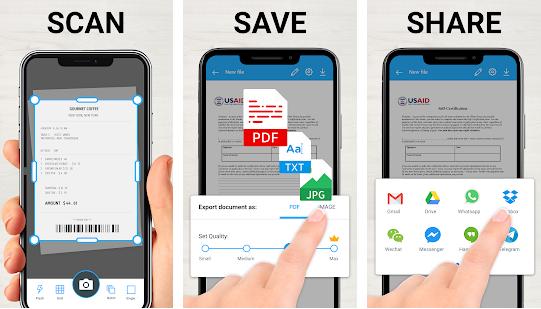
This app supports two modes – batch and single. It also has a built-in QR code reader. Once it scans the file/image, the application will display sliders to control the picture’s brightness and contrast. It also shows a list of filters that you can apply to the image. TapScanner supports the following PDF sizes:
- A5, B5, B4.
- US4*6, Executive, COMM10.
- Letter, A3, A4.
- US4*8, legal, US5*7.
TapScanner can generate password-protected PDF files. It lets you insert an image, date, text, a check/radio button sign, etc, on the scanned document. The free version of this application offers 5 credits to users who want to use its optical character recognition tool. It can automatically apply a filter of your choice to the output images. This app like CamScanner displays full-screen ads before showing options to save the scanned document as a PDF file or an image. It can save your pictures to Google Drive.
Document Scanner – PDF Creator
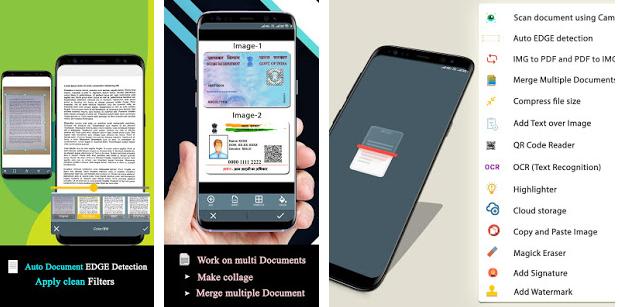
Document Scanner displays several tabs on its interface. The tabs allow users to group the scanned documents. For example, if you want to capture an ID card, you should tap the “ID Card” tab and click the camera icon displayed at the bottom right corner of the screen. Document Scanner can recognize text in images. It shows the extracted text in a text area and displays options to copy it.
The application enables you to edit, crop, resize, move, or bookmark the image. It offers many filters that you can use to improve text visibility in the document. It supports batch tasks. Document Scanner ships with a QR scanner utility. It lets you create collages from document images and PDF files protected with a password. If you think that the image of the scanned document is large, you can compress it with this application. Document Scanner is one of the best alternatives to CamScanner.
Other similar top-rated apps for scanning documents: