
Chromebooks are lightweight notebooks that run on Google Chrome OS. The Chromebooks are reliable and secure as the Linux kernel powers the Chrome operating system. They are perfect companions for people accessing the internet frequently. If you have purchased a Chromebook, download and install the following Chrome apps to get the same experience as the Windows OS.
- Best Photo Editors for Chrome
- Best Office app for Chromebooks
- Best video converter for Chrome OS
- The best Chrome news/RSS reader
- Best Torrent client for Chromebooks
- The best Chrome RDP client
- Best Chrome task manager and note-taking app
- Best offline email client for Chromebooks
- Best Chrome video/music player
- Best Chromebook diagramming app
- Taking screenshots
Best Photo Editors for Chrome
Polarr
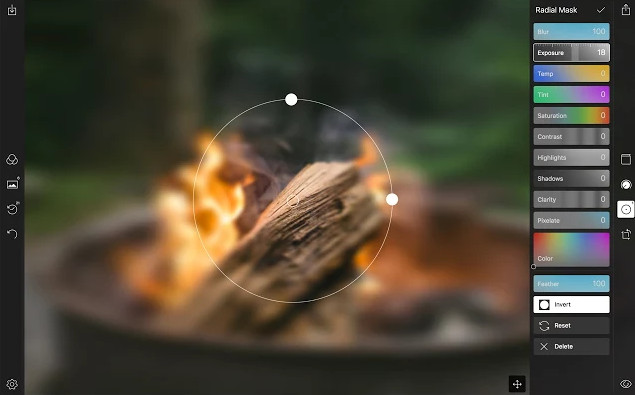
If you’re looking for a Chrome app to apply filters to the photos or you want to change the brightness, color, contrast ratio of the images, install Polarr. Polarr supports the drag-and-drop feature. It offers over 40 filters and has an auto color adjustment function. Its size is 13 megabytes. The app lets you resize the window, and it provides sliders to change the field’s value. It supports the batch export feature and RAW format files. Polarr consumes a small amount of RAM. It doesn’t affect the Chrome OS performance when you run it.
Pixlr
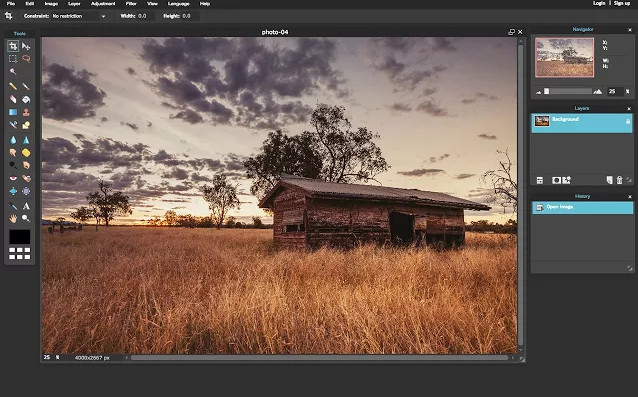
The only drawback of Polarr is that it doesn’t provide photo editing tools such as brush, bucket fill, etc. Pixlr is an online photo editor for Chromebooks. It overcomes the limitations of Polarr by offering many tools. Hence, Pixlr is an excellent alternative to Polarr. Apart from providing filters, this Chrome app provides tools that you’ll find in GIMP, Photoshop, or MS Paint. Pixlr provides an easy-to-use interface. It allows you to save pictures offline on PC in one of the following formats:
- TIFF.
- PXD.
- JPEG.
- PNG.
If your Chromebook doesn’t have enough free space, create a free account on Pixlr. If you do so, you can save your work on the server of Pixlr.
Best Office app for Chromebooks
Office Online
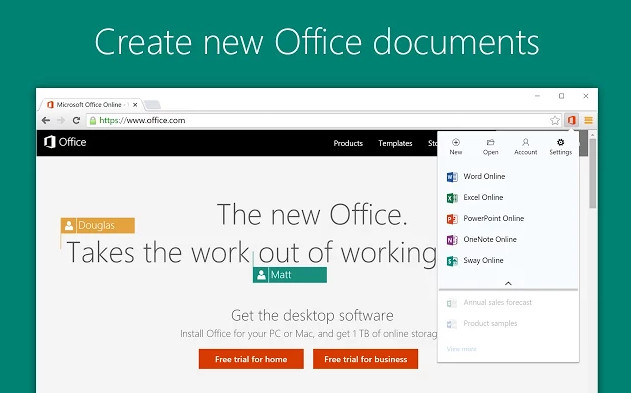
Office Online from Microsoft Corporation allows you to create or edit MS Word, Excel, PowerPoint, sway files on a Chromebook. It is one of the top Chrome productivity apps. To use it, you must sign in to your MS OneDrive account. Unlike MS Office for PC, Office Online is a free service. It offers the same set of tools you’ll find in the desktop version of Microsoft Office Suite. If you’ve installed the offline version of Word, PowerPoint, Excel, you can launch the application from the web interface of OO. The app can sync your work automatically to the PC. Your files are saved on a secure Microsoft cloud server, and you can access them anytime you want. OO is the best Chromebook office app for editing excel, CSV, presentation files.
Best video converter for Chrome OS
Video Converter
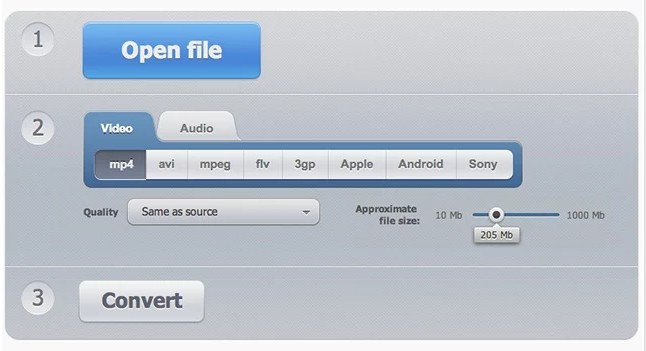
VC provides a no-nonsensical approach to converting media files from one format to another. Once you install it, VC takes you to its official website, where you’ll find the option to upload a media file. VC supports files stored on Dropbox, Google Drive, or another storage platform. Once you upload the file, you must select one of the following output formats:
- MP4, AVI, MPG.
- MOV, FLV, 3GP.
- WEBM, MKV, APPLE.
- GIF.
Then, you must choose the target file video resolution and specify the video, audio codecs. You must also set the desired output file size. Finally, click on the convert button and wait for the tool to complete its task.
The best Chrome news/RSS reader
Feedly
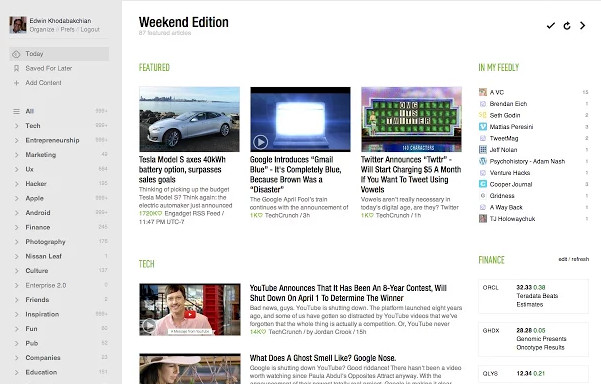
Feedly is one of the top-rated apps on the Chrome Webstore. It enables you to read the news on the Chromebook without opening a website. Feedly doesn’t recommend news stories to the users. It provides a search option that you can use to find a list of top news portals/channels and articles containing a specific word. Feedly gives you complete control of the news you want to read. If a website provides an RSS feed, you can copy the feed URL and add it to your subscription list in Feedly. The RSS reader app has options to:
- Save a story for reading it later.
- Copy the news source URL to the clipboard.
- Share the story on social networks or send the news to the inbox of an email address.
Best Torrent client for Chromebooks
JSTorrent
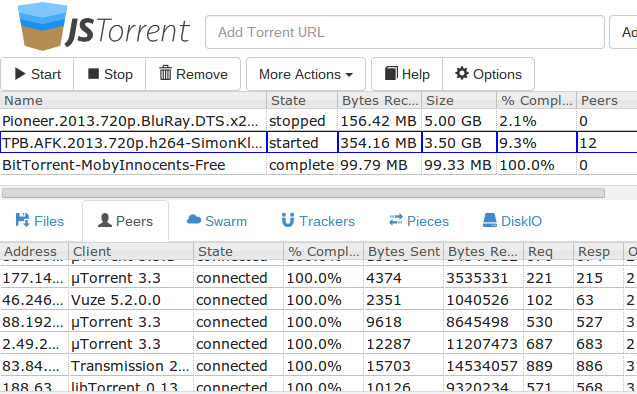
Apart from work, you may like to watch videos or listen to music in your leisure time. With JSTorrent, you can easily download large torrent files. By default, JST saves downloaded files to the “Downloads” folder. JST has advanced functions i.e. you can pause, resume, seed a torrent file. It supports large files having a size of over 1GB.
Also see: Best download manager apps for Android
The best Chrome RDP client
VNC Viewer
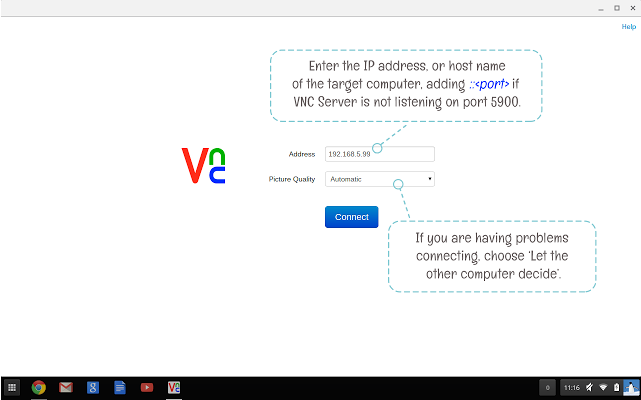
With VNC Viewer, you can gain access to a computer running on Windows or Linux OS and of any geographic location. VNCV prompts users to enter the IP Address of the remote PC and asks them to choose a picture quality. Choose the highest picture quality if the computer is on the same network. If the PC is on a different network and your internet connection is slow, select lower picture quality for a good experience.
Best Chrome task manager and note-taking app
Todoist
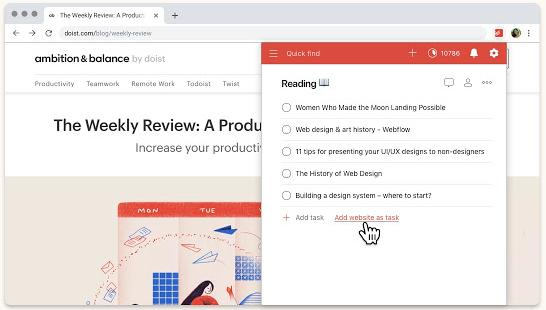
Todoist is a task-management utility with the highest ratings among the same category apps. It allows you to create a to-do list, set reminders, and more. Todoist offers an intuitive interface. Once you register a free account, it asks you to select the type of list you want to create. Then, the application shows a text box and a button to add items to the list. Todoist enables you to duplicate a list. It has the option to share to-do lists on social networks. If you’ve created plenty of lists, Todoist lets you sort the lists alphabetically. It is one of the must-have Chrome apps.
Evernote Web Clipper
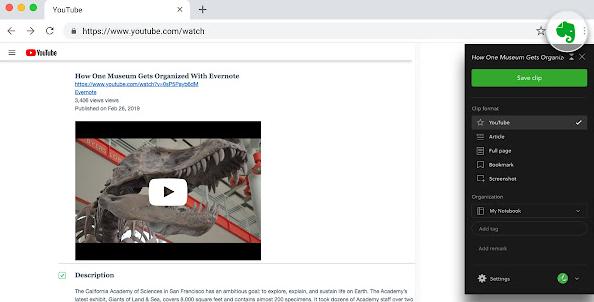
With this Evernote app, you can save the parts of a webpage or the entire page’s content to your Evernote account with a few clicks of a button. If you use this app often, you can group your clippings with tags. Evernote Web Clipper supports annotations, highlighting, screenshots, etc. The Chrome app saves the source URL and clipping to your “notebook”. You can create new “notebooks” and share them with people. Web Clipper categorizes clippings by their type – image, document, email, etc.
Best offline email client for Chromebooks
Gmail offline
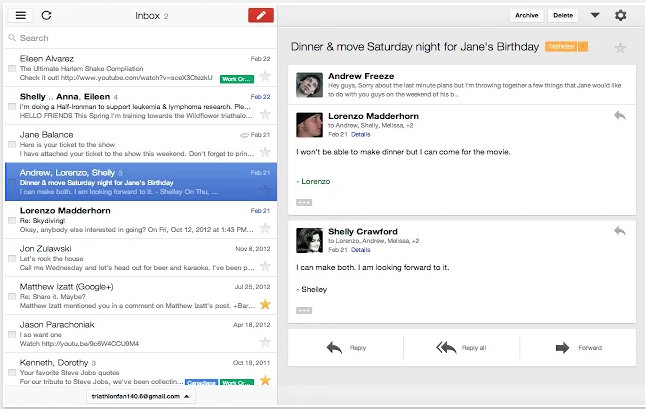
Gmail Offline lets you access your emails offline. It takes a few kilobytes of storage memory on your Chromebook and provides a brilliant UI for a great experience. Gmail Offline keeps copies of recent emails you’ve sent or received on your Chromebook. Learn how to use Gmail in offline mode.
Also read: Best email client apps for Android
Best Chrome video/music player
VLC (Video LAN Codec)
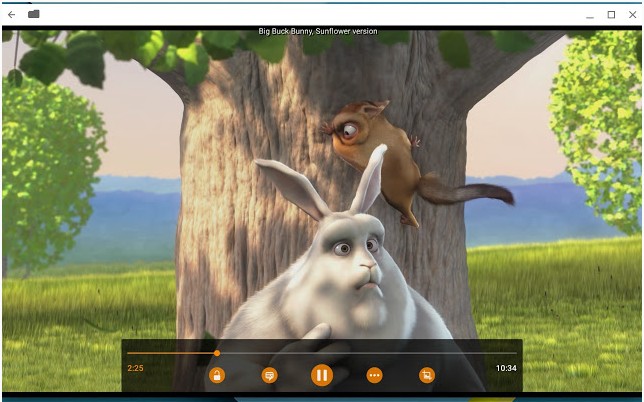
A notebook is incomplete without a media player application. VLC is a popular program that supports almost all media files known to mankind. It is a free application with superb features. VLC is easy to use and provides various options to the users.
Best Chromebook diagramming app
Draw.io
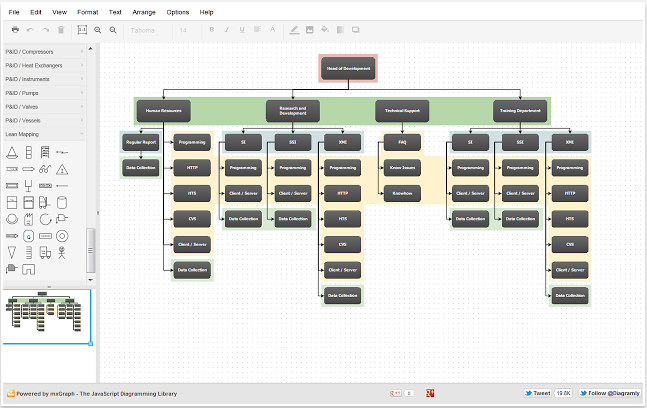
If you’re a computer science student, install Draw IO to improve your productivity. DIO allows users to create entity relationships, flowcharts, and many other types of diagrams for their projects. Although it is a lightweight application, DIO offers many functions. For the proof, you can see the above screenshot.
Taking screenshots
Nimbus
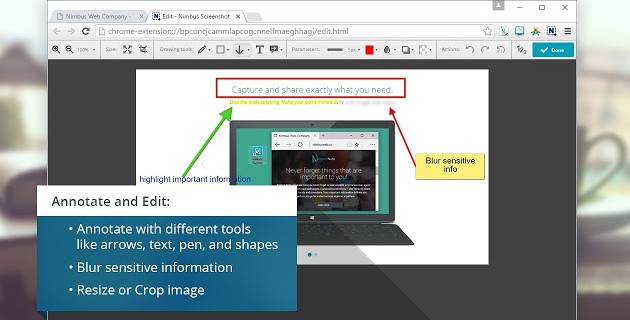
Nimbus is an app with which you capture screenshots and create videos of the screen on your Chromebook. Its size is 40.1 megabytes. NimBus lets you save the screenshot as a PDF, JPG, or a PNG file and enables you to convert the recorded video to MP4 or Graphic Interchange Format. It also allows you to crop/trim the captured pictures and record videos of applications you’re currently using. NB also lets you annotate or highlight texts. If you create video tutorials and capture screenshots often, make sure you download and install Nimbus on your Chromebook.
Our list of best Chrome apps features lightweight applications with incredible features. If you have bought a new Chromebook, install one of the Chrome apps I’ve shared above.
Note: You can use the above apps on Linux or Windows OS. To launch an app, paste this URL chrome://apps/ in the browser’s address bar and press the enter key.
How about a screen shot app? What would be the best for the Chrome OS on a Chrome Notebook. I have one on a laptop running Windows 10 Home and works great.