Microsoft had unleashed the Windows 10 operating system in 2015. Within five years of its launch, the operating system had delved over a billion users. The OS has the same number of users as popular social networking websites like Twitter and Instagram. Windows 10 provides a beautiful user interface. It is more stable, secure, and reliable than Windows 8.1. The OS ships with a new browser called Edge. It also has the Microsoft Cortana digital assistant. Windows 11 OS was introduced in 2021. It is one of the finest releases of the Windows operating system to date.
Although Windows OS offers plenty of tools, it lacks many essential features. For example, it doesn’t have a powerful photo editor. It lacks password management features and so on. Below, I have shared the list of the best Windows 10 and 11 apps to make the latest Windows OS invincible. Our list covers free applications for:
- Editing pictures.
- Managing passwords.
- Composing emails from the desktop.
- Managing email accounts.
- Editing various types of files, and more.
In other words, I’ve listed apps that you’ll use every day.
- Best free photo editor for Windows OS
- Best Windows email client
- Best free junk cleaner for Windows
- Best Windows virtual machine software
- Best Windows Text/Code Editor
- Best Windows update manager
- Best compression software for Windows
- Best Windows password manager
- Best Windows PDF reader
- Best RSS Reader for Windows OS
- Best blue light filter for Windows
- Best Windows BitTorrent client
- Best movie player software
- Windows app for music streaming
- Best free office app for Windows
Best free photo editor for Windows OS
Gimp

Gimp, aka GNU image manipulation tool, embraced Windows operating system in 2013. Before 2013, it was available for Linux OS. GIMP is a free application that enables you to play with images. Many experts believe that GIMP is the best free alternative to Adobe Photoshop, CorelDraw, etc. GIMP has an excellent interface. It offers over 50 filters and supports customization. The app allows you to select template/canvas type, image dimensions, resolution, etc. It provides auto-enhancement functions and a variety of editing tools. Like Photoshop, GIMP for Windows 10 lets you stack and mask layers. It offers path and transformation tools.
Best Windows email client
Mozilla Thunderbird
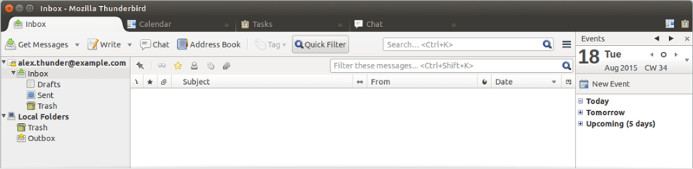
The built-in email client app of the MS Windows 10 operating system worked like a charm until MS rolled out the anniversary update. After updating the OS to the latest version, Microsoft Mail stopped fetching the latest emails from my Gmail and Outlook accounts. It didn’t show notifications of new emails as well. I removed MS Mail and installed Mozilla Thunderbird. Mozilla’s email client app doesn’t support Windows 10 notifications yet, but it is a robust tool. You can configure the Thunderbird app to minimize to the taskbar. Mozilla Thunderbird lets you compose and send emails without opening the browser. It supports all major email service providers and is easy to configure.
Best free junk cleaner for Windows
CCleaner
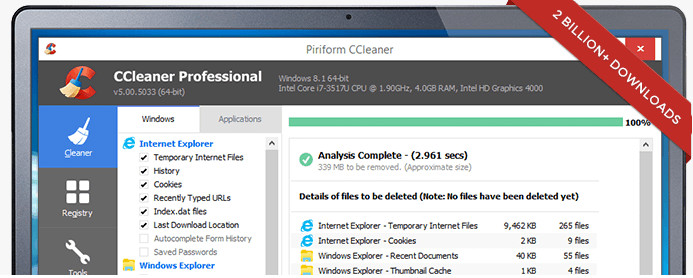
CCleaner is an ad-free application with which you can fix various performance issues caused by useless files on the Windows 10 OS-powered PC. It is good at detecting unwanted files created by the core processes of the Windows 10 OS and third-party applications. It allows you to remove junk from your PC with one click of the mouse. CCleaner finds unwanted entries in Windows 10 registry. It then allows you to delete the fake entries in the registry before the system’s performance deteriorates further. When you optimize the registry, the Windows operating system becomes more responsive. Like ThunderBird and GIMP, CCleaner is a free program. CC is the best junk cleaner app for Windows 10 OS.
Best Windows virtual machine software
Virtualbox
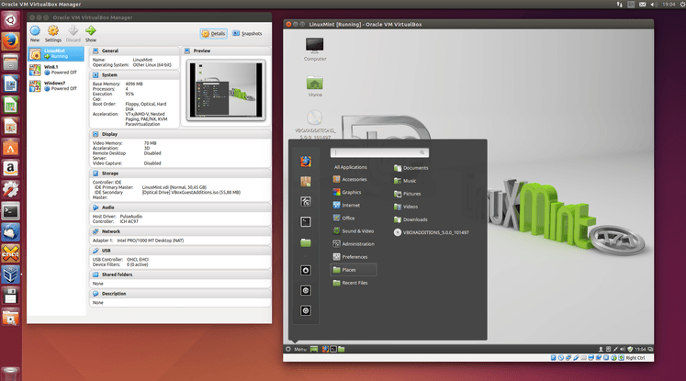
Once owned by Sun Microsystems, Virtualbox is a widely used virtualization application. It enables users to run their favorite operating system in a virtual environment. Virtualbox runs ISO files (setup files) in Windows. It uses the exact amount of RAM, storage memory, video memory defined by the users. This Windows 10 app supports all distros of Linux and Android M-based Remix OS.
Best Windows Text/Code Editor
Notepad++
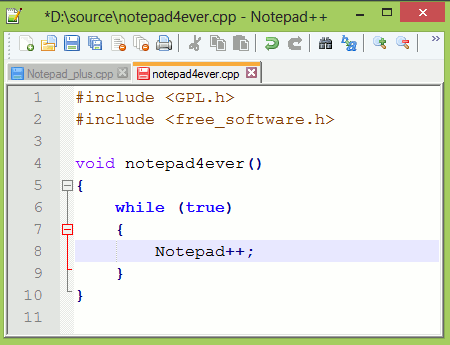
NPP is one of the best Windows 10 apps to edit documents and files. Developers wrote Notepad++ with the C++ programming language. Executable files created with C or C++ execute faster than those written in Java or other structural or object-oriented programming languages. Hence, Notepad++ offers brilliant performance. You can easily open large text files with this free editor for Windows 10. Notepad++ is a system memory-friendly app that has a tabbed interface. It is a robust code editor tool for Windows. It has a “code” aka “syntax highlighter” module, which highlights pre-defined methods, directives, variables, etc. Notepad++ can remember files you were recently working on. If you close NPP accidentally, the app opens the files you were editing last time.
Visual Studio Code
VS Code is a feature-rich code editor for Windows 10 operating system. It supports extensions. As of today, over 200 powerful extensions are available for VS Code. You can install extensions of your choice to make this Microsoft application function as an IDE. VSC supports light and dark color themes. It lets you install new themes.
Best Windows update manager
WUAMT
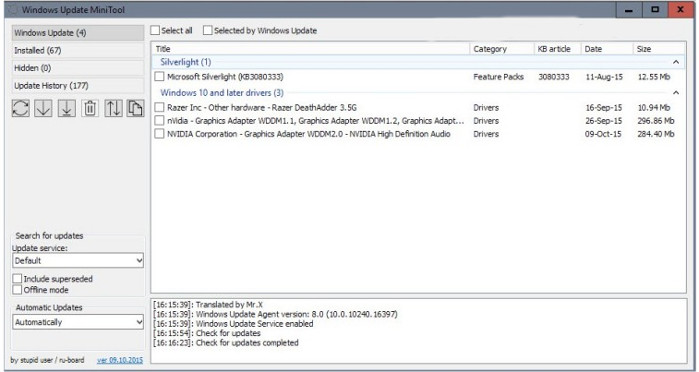
Windows Update Mini Tool is a reliable program. It isn’t as aggressive as the SvcHost Windows process, which handles the Windows updates. WUMT is a tiny utility that fetches the list of updates Microsoft has rolled out recently. It displays the available updates in a list. The program enables you to download updates you want to apply to your system. WUMT identifies critical updates. It allows you to pause or resume active downloads. It saves the downloaded updates in a folder that users can quickly locate.
Best compression software for Windows
7-Zip
7-Zip is a powerful tool that compresses and extracts various types of archives. It supports files created with premium software such as WinZip and WinRAR. 7-Zip lets you create Tar-GZip archives. It also enables you to extract archives of this format in Windows. The compression tool supports LZMA and LZMA2 formats, resulting in smaller files than RAR archives. It can encrypt files with a 256-bit AES encryption algorithm and supports integration with Windows 10 shell. 7-Zip allows users to use its compression and decompression feature in command line mode.
Best Windows password manager
Keepass
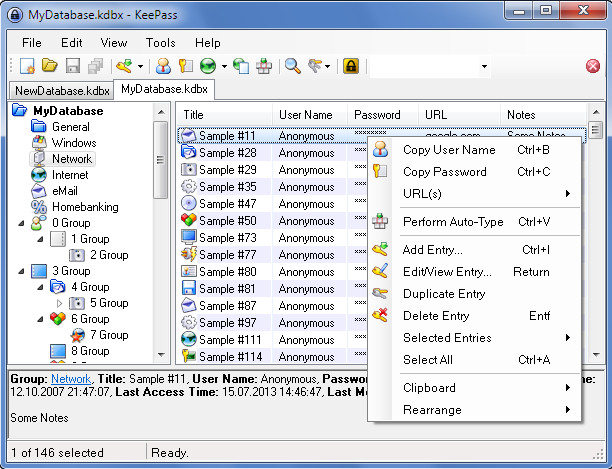
KeePass is one of the most secure and robust free password managers for Windows 10 OS. Unlike other password manager tools available for Windows, KeePass saves the user’s passwords in a secure password-protected database. It allows users to save the database to a folder of their choice. The app locks the database to prevent other users from accessing your passwords. To access it, users must enter/specify the path to a key file and enter the database password. KeePass provides an advanced password generator tool. It can generate 40-bit, 128-bit, and 256-bit passwords quickly. The passwords created with the KeePass app for Windows 10 OS are impossible to crack. You can configure KeePass to automatically fill in the login credentials on your favorite websites.
Best Windows PDF reader
Adobe Acrobat Reader DC
No other application handles PDF files as well as this program. Adobe Reader ships with a variety of tools. It allows you to highlight a line or paragraph in the PDF. AR provides a drawing tool and enables you to attach a file to a PDF. It is one of the top Windows 10 PDF apps.
Best RSS Reader for Windows OS
QuiteRSS
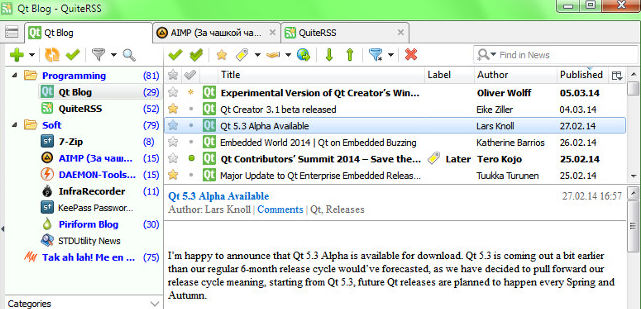
QRSS is a user-friendly tool through which you can keep yourself updated with updates from your favorite RSS-enabled websites. Quite RSS allows users to add news feed manually. It allows you to refresh the feeds and has an AdBlocker utility. QRS lets you mark an RSS item as read and unread. You can also mark a news item as important in QuiteRSS. QRS is one of the must-have Windows 10 apps. It is an excellent alternative to online RSS reader applications.
Best blue light filter for Windows
Flux
Flux is a simple application that filters intense blue light produced by the desktop monitor or laptop screen. It detects your location automatically to estimate sunset timing in your region. Flux shows its magic once it finds that the sun has set in your city/country. If you have to remain in front of the computer for over 10 hours, install and enable Flux on your PC.
Note: Flux is not needed in the latest Windows 10/11 update as the OS now has a night mode feature built-in. Use it if you’re unhappy with this feature of the Windows operating system.
Best Windows BitTorrent client
uTorrent
uTorrent is one of the most downloaded Windows apps of all time. It allows you to download torrent files with great ease. It is a fast and small application that doesn’t have upload/download speed restrictions. uTorrent can run in the background. You can configure it to start automatically. The program supports batch downloads and has a superb UI.
Best movie player software
VLC

Bought a movie that the default media player on your PC won’t play? Download and use VLC. VLC, aka Video Lan Codec, is the most downloaded media player app. It supports files of all formats and is lightweight. The VLC app for Windows 10 OS doesn’t have ads, and it has many options. It enables you to trim, pause, resume, fast-forward videos, and lets you change the view from current to full screen.
Windows app for music streaming
Spotify
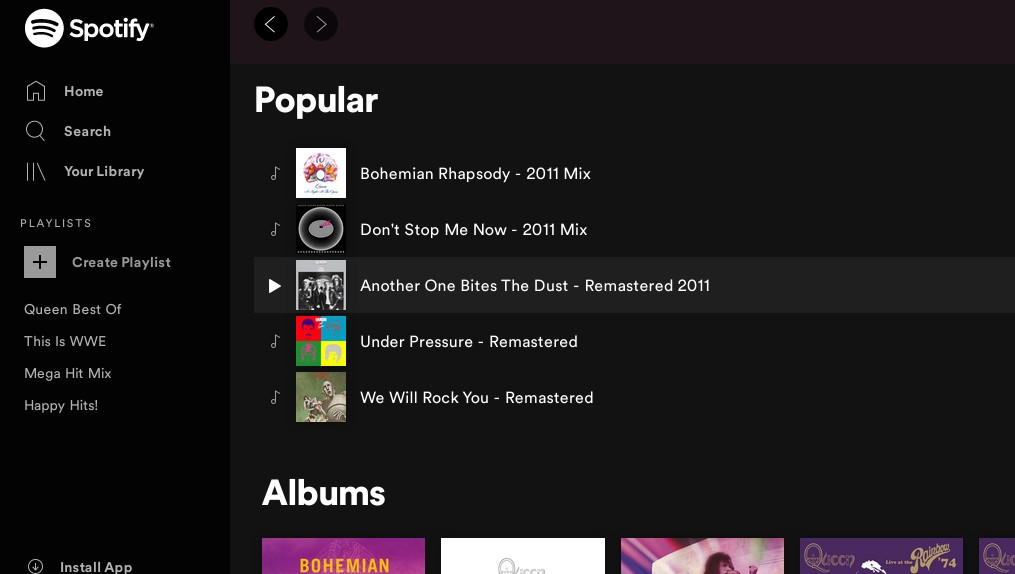
Spotify is one of the best online music streaming services in the world. To listen to music, all you have to do is create a free Spotify account, explore the albums, tracks or use the application’s search tool to find your favorite songs and click the play button. Spotify has a beautiful dark-themed interface. It has a massive collection of songs, background music, etc. It also has a vast collection of inspirational, funny, etc podcasts. Spotify’s premium plan lets you download songs on your PC. Its free edition allows you to hear songs, bookmark albums/tracks, create/bookmark playlists, etc. It also has ads. The advertisements are displayed/played when the track you’re currently listening to is over. The Spotify Windows 10 app is available for Windows, Linux, Android, Mac, and iOS.
Best free office app for Windows
LibreOffice
Microsoft Office is a premium software. The license for the same costs $100+. LibreOffice is software like MS Office that enables users to create and edit documents, presentations, spreadsheet files. It is a free application that ships with the following tools:
- LibreOffice Writer, LibreOffice Math.
- LibreOffice Impress, etc.
LibreOffice lets users save spreadsheets in XLS format. With this application, you can also save presentations in ppt format and documents in doc format. You can use LibreOffice at work or home on unlimited computers without paying any subscription fee.
Apart from the above Windows 10 apps, download the Google Chrome browser and install the best Chrome apps for Chromebooks. Windows 10 can recognize the Chrome launcher. Once you install Chrome, you must click on the launcher to open the Chrome apps.