High-end phones have a brilliant cameras. For example, the cameras of the OnePlus 5, iPhone 6+, Galaxy S8, and Google Pixel 2 result in DSLR quality pictures. Low-budget or mid-range Android smartphones carry an 8.0 MP or 13.0 MP camera. The images captured with these cameras may or may not look good. No matter what phone you own, the cameras capture what you see. They won’t remove blemishes, dark circles, or acne from your face. If the picture is superb, it may have objects you may not want the world to see. If the image is horrible, you’ll either delete it, or you’ll try to make the picture look better with a photo editing tool.
Well, you don’t have to move your pictures from the mobile phone to the PC and edit it with GIMP, CorelDraw, or PhotoShop. Google and Apple app stores have several free photo-editing apps that will fix image quality issues and make your selfies look great in no time. Among the plethora of apps on the app stores, I’ve shortlisted six great photo-editing apps for your mobile device.
Best photo-editing apps for Android and iPhone
Snapseed
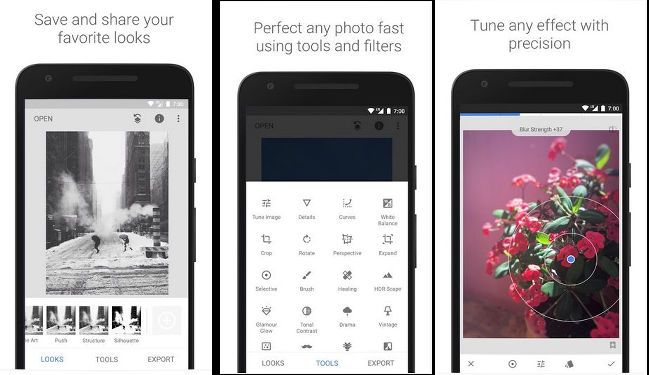
Developed by Google, Snapseed is one of the best photo editing apps for iPhone and Android devices. Snapseed is an easy-to-use application with tools that you’ll usually find in the photo-editing software available for Windows OS. It also offers many unique utilities. Snapseed identifies a person’s face and allows you to change its direction. It has a unique feature called “expand” that increases the size of the canvas and fills the void space with the background.
Snapseed offers 25 photo editing tools and has 15 unique filters. It supports RAW format pictures. It allows users to make changes to the images with swipe gestures. Snapseed supports undo and redo operation. It lets you save and share edits with other users via a QR code. The users that have received the QR code must open the picture and scan the code with Snapseed. Snapseed will automatically apply the edits to the image when they do so. Although Snapseed is a great tool, it doesn’t have an autosave feature. Hence, users must save their edits before tapping on the back button. Snapseed photo editor for iPhone and Android lets users export the edited picture to their preferred location. It can share the image on social networking sites and messaging apps.
Must see: Best Android cut paste photo app
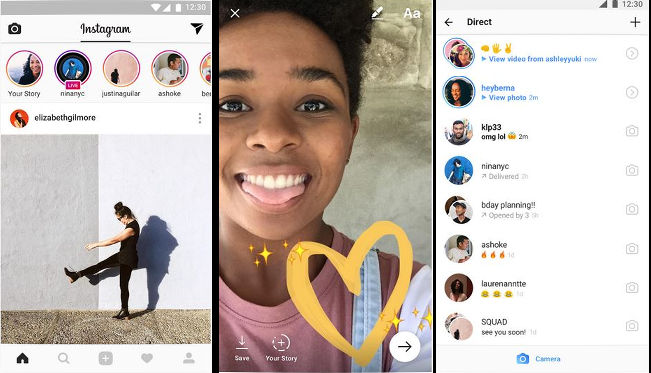
Instagram is a popular image-sharing service that offers basic editing photo tools. It provides different types of brushes and has numerous real-time filters. Instagram features an eraser utility and includes an option to undo the previous edit/effect. It allows you to see the original photo before saving its modified version. To see the original picture, users must tap on an image they’re editing. Instagram allows users to arrange the filters. You can also hide filters you don’t want to use.
Adobe Photoshop Express
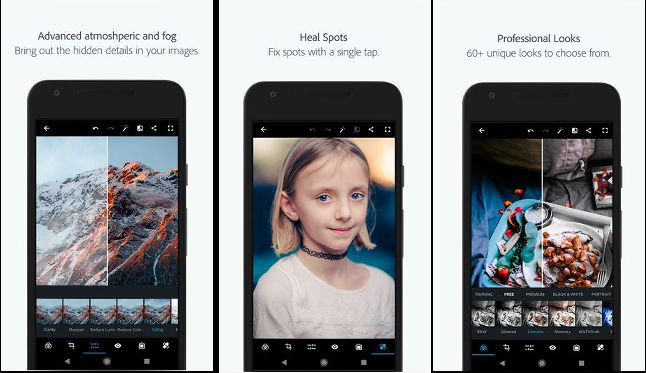
Photoshop Express is an excellent alternative to Google Snapseed. It has over 50 million users and a superb rating of 4.3 on the Google Play Store. To get started with Photoshop Express and unlock its full features, you must log in to the app with a Facebook, Adobe CC, or Google account. If you don’t do so, you’ll get access to a handful of filters and tools. Photoshop Express gives users access to 20+ filters and has basic photo editing tools such as cropper, red-eye, skin blemish remover, image flipper/rotator, etc. It provides a photo enhancer utility that employs a smart algorithm to adjust the sharpness and color temperature of the pictures and make them look better. In addition to this, the Adobe app provides an option to change the contrast, brightness, color of images manually.
Adobe PE lets you add borders of various styles to the pictures. It enables users to work with images saved on their phones. You can also import photos from the Adobe CC cloud service with it. Adobe PE can add a watermark to pictures before saving them to your preferred location. It lets you specify the size and quality of the exported image. It is one of the top photo editing apps for Android and iPhone.
Must check: Best apps like Flipagram
Pixlr
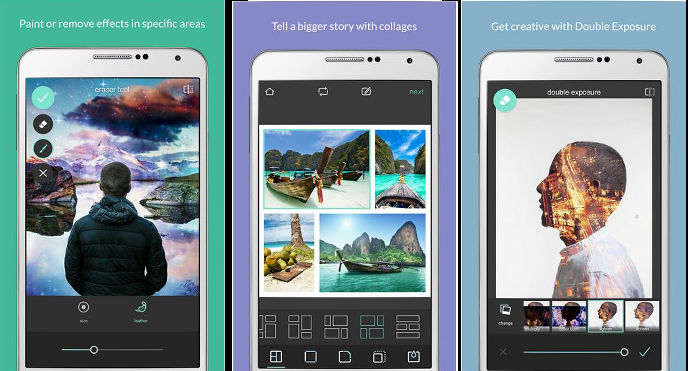
Pixlr allows you to create collages of up to 10 pictures. It has ten tools and three different customizable brushes. It lets you add doodles and overlays to photos. Pixlr includes 11 filters and an option to add frames to images. You can add text or stickers to images with the Pixlr app. Before inserting the text, users can change its font, color, orientation, etc. Pixlr photo editor for Android and iPhone enables you to bookmark and customize the filters. You can resize images and change their default saving size in it. Users can change the default image saving path in Pixlr. They can configure the app to start in camera mode.
Photo Director
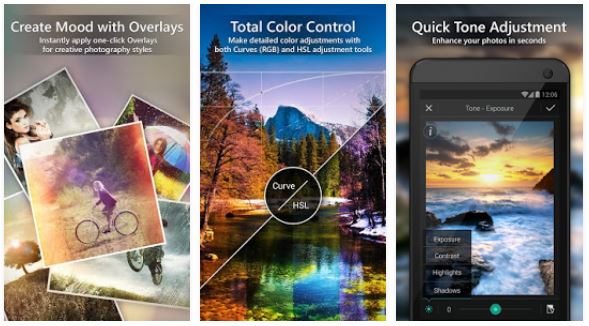
Photo Director enables users to remove unwanted objects from the picture’s background. It lets you compare the edited and unedited images. Photo Director provides an Instafill tool that superimposes the picture on a new canvas and fills space on the canvas with a color of your choice or the blurred version of the superimposed image. Like other photo editor apps I’ve covered here, PD allows users to adjust the pictures’ brightness, contrast, and color. You can put your picture on a train, billboard, front page of a newspaper, screen of the theater, or create collages with this application. This photo editing app for Android and iPhone has various types of brushes. It has a skin smoother and red-eye remover utility. It lets you add stickers, beautiful overlays, borders, and text to photos. PD provides 21+ effects.
Also read: Best app to add text to photos
AirBrush
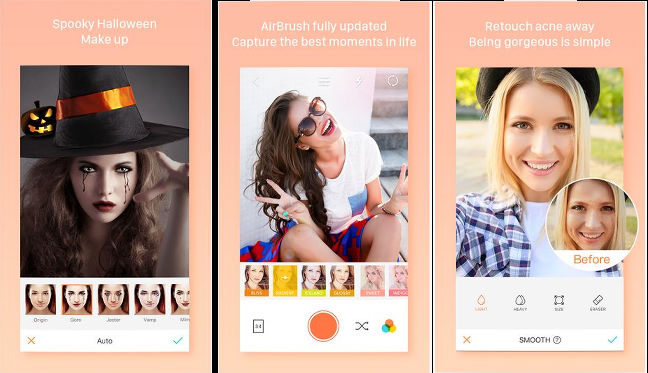
AirBrush is a great app to beautify selfies. It can remove pimples, dark spots, wrinkles, and dark circles from the face. With this application, you can also change the skin tone and add makeup to photos. The AirBrush photo editor for iPhone and Android can whiten the teeth and resize your nose, lips, eye, or any other part of your body. It can make your face longer or broader. AirBrush offers 27 filters, and it has the option to resize the canvas. Images edited with Airbrush look natural. Hence, you can use them as a WhatsApp or Facebook DP or share them on Snapchat, Instagram, etc.
Final thoughts: The six applications I’ve covered above are the best photo editing apps for iPhone and Android devices. They are fast and have many features.