Google’s Android might be one of the world’s most popular mobile operating systems (OS), but a minor bug can get you in trouble, especially when playing specific media file formats. Every Android phone indeed comes with its very own built-in music and video playing app, but this does not mean whatever media file formats you are copying on that particular device, the app will accept them and play the same for you. If you want to move on from such featureless music and video player application or you’re searching for an application that is capable of handling various media (audio and video) file formats, download the best video player apps for Android and iOS (iPhone or iPad) I’ve mentioned below.
Best video player apps for Android and iPhone
Free VLC video player (Video Lan Codec)
We all know how classy this software is and what it is capable of doing. However, for those who do not know, VLC is one of the most loved and downloaded media players on the planet. It is a cross-platform, open-source media player that allows you to play almost any media file type, whether it is on a disc, another device, and network streaming protocols right out of the box, all without the need of any extra codec packs. In May 2012, the VLC team stated that they were developing a variant of its famous desktop media player for the Android platform. After two years, the team released a stable version of VLC i.e. 1.0, on the Android Marketplace. Here are my views and a brief review of VLC (Video Lan Codec).
The VLC video player for Android and iPhone has 100+ million users around the globe. It is available on the Google Play Store and iTunes. It can work on any mobile phone or tablet that runs on Android 2.2 Frozen Yogurt, Froyo, and later versions. If VLC is compatible with your device, you can download it from iTunes or the Play Store (APK file size of 13.86 MB). This app uses a total space of 43.98 MB from your device’s internal storage memory, and on rare usage, it employs an average of 9 MB to a max of 108 MB of RAM. Using VLC is a straightforward task. Once you install it on your smartphone or tablet, start it. Now, since you are about to use this app on your device for the very first time, VLC will prompt you to grant it permission (may vary) for accessing photos, media, and files on your device, with options to “Deny or Allow.”
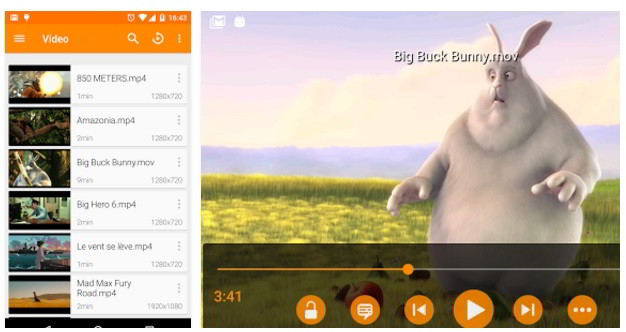
Make sure that you do not deny the request. However, if you do so (Deny), VLC would not be able to scan for media files on your device. Furthermore, it would become way too hard for you to play media files on your device that are not supported by the device’s built-in app. Once you grant the required permission, VLC will start the scanning process to find all media files saved on the internal as well as external storage memory, and it will list the files it has found on the main interface. Launching the app right away takes you to the videos section. This section shows brief video details like duration, time played, time remaining, and its resolution.
Must Read: Best Android radio apps
Every video thumbnail flaunts a three-dotted button in its top right-hand corner. When you tap this button, VLC will display options to play all, append, play as audio, information, delete, and download subtitles. One tap on a selected file makes VLC play the file. While watching a video, users may come across some handy features that would help them in improving their on-device video viewing experience. The features include a sleep timer, jump to time, playback speed, play as audio, subtitle delay, audio delay, repeat mode, play video in a Popup window and go to the chapter function.
Switching from one media type to another is easy on this video player for iPhone and Android. If you don’t want to watch videos and you are in a mood of listening to your favorite music, or you want to stream music or play files saved to the storage hardware of a PC connected to the same local network, tap on the icon located at the top-left corner of the app. You can also swipe from left to right, which brings out other playback options and lets you change/add new directories, view/clear your history and settings.
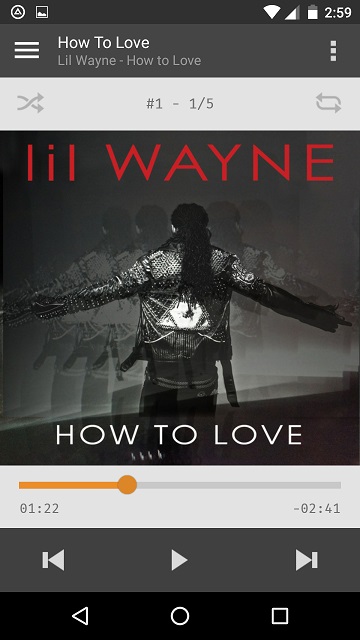
The music playing experience on this free video player app is excellent. VLC has indeed been a powerful music-playing app that allows you to listen to your desired music files. I don’t like using third-party apps on my Moto G (3rd Gen), but after using VLC for a day or two, I disabled Google Play Music on my device. VLC offers these standard audio playback options that are notable in other similar apps – a fully-featured audio player with a complete database, equalizer, and filters, and playing all sorts of eerie audio formats. VLC has an option to integrate playback controls with the lock screen. It often happens that while playing a media file, especially audio, our device locks itself. As a result, we cannot carry out any necessary actions without unlocking them.
Check: Best App locker for Android
Once you enable this feature, VLC will display brief details of that particular audio file. It will also show the album art and a small rectangular box with basic control options like play, pause, next, and previous on the lock screen. The user interface of VLC is well-designed. All functions, as well as buttons on the app, are laid out clearly and neatly. Other than that, if you want to switch the app’s skin from its regular white to gorgeous black, an option is there in the settings interface for doing so. VLC also allows its users to configure the application as per their preferences. It is the best video player app for Android and iOS devices.
Pros and cons of VLC
Pros:
- Stunning user interface (UI)
- Equalizer with filters
- Supports nearly every video and audio file format covering MKV, MP4, AVI, MOV, Ogg, FLAC, TS, M2TS, Wv, and AAC.
- Built-in codecs. No separate downloads are required.
- Disk share support
- No annoying ads
- Subtitles, Closed Captions, and Teletext support
- Free
- No in-app purchases
- Open network streaming support (including adaptive streaming)
Cons:
- None.
Must Read: Best MP3 download apps
Free MX Player
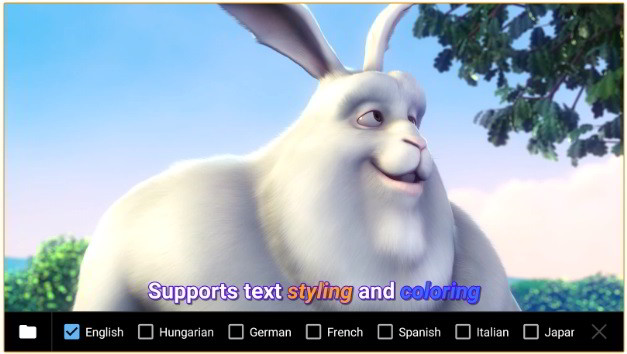
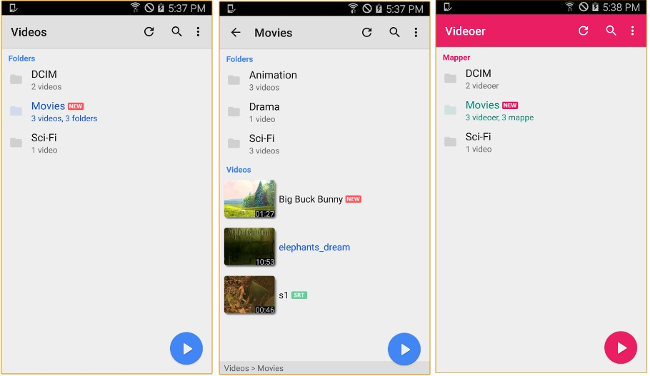
Another excellent video player app for Android devices, iPhone/iPad, is MX Player. MXP has almost the same number of users as VLC. According to the Google Play Store, over 100 million Android device users love MXP. Once you run MX Player, you will see a toast/popup that asks you to allow MXP to access video and music files saved on the ROM or MicroSD card. Then, the app opens its interface, where you will see a list of folders where Android or iPhone is likely to save the media files. Users must tap on the list item to access its content.
MX Player shows the media content’s thumbnail and name in a list. It lets you resume video playback of the files stopped abruptly by the user. MX Player will show advertisements below the list if the internet connection is active on your phone/tablet. This free video player app for iPhone and Android plays high-definition (720p), full HD (1080p), 2K, and 4K files. MX Player supports network streaming. With this feature, you can enter the URL of a video file you want to play with this app. The MXP video player for iPhone and Android lets you refresh the list of media files. It enables you to browse folders and sort files by their title, status, played time, resolution, length, frame rate, location, size, date, and type.
MX Player comes with various themes. It lets you display the last played media file in italics and colorize the notifications bar. The app has an option to play hidden video and music files. It allows users to customize video quality, brightness, orientation, etc. MX Player has various controls and options for:
- Changing the default playback speed.
- Enable file preview below streaming it from the URL.
- Enabling fast seek module.
- Turn on the smart playback feature.
- Turning on the background play feature.
- and more.
MXP lets you change the folder where subtitles of video files will be saved. You can configure it to play only music files i.e. MP3, MP4, WAV, MNV, etc. The MX video player has plenty of cool features. If you are searching for an alternative to VLC, the MX video player for Android and iOS should be there on your mobile device.
Also read: Best file transfer app for Android
What if you don’t like the VLC or MX player? Install one of the following video player apps:
Final thoughts: The best iPhone/Android video player apps are the ones that offer a great experience. They don’t annoy users with advertisements or make users search for an alternative software for playing a file other than MP3, MPG, DVD, MP4 formats. They provide unlimited features and a top-notch playback experience. VLC and MX players are the top two applications for playing videos and music files. Don’t waste your time searching for the 3rd best app.